Dorm rooms are the most restrictive lighting environment most people will ever live in. You cannot drill, you cannot nail, you usually get two outlets, and half the wall is either painted cinder block or a surface the housing office will inspect in May. That rules out sconces, picture lights and most of what a normal apartment guide would recommend.
The good news is that the constraint has an obvious answer: light that mounts itself. A magnetic, USB-C rechargeable light needs no wiring, no holes and no outlet, which makes it the single most useful lighting purchase for a dorm room. Below are six setups that work inside those rules, plus the parts people get wrong.
Why Dorm Lighting Is a Different Problem
Three constraints stack on top of each other:
- No holes. Most housing contracts prohibit nails, screws and command strips above a certain weight. Anything that leaves a mark can cost you a damage fee.
- Shared space. A light that turns the whole room into a nightclub at 11pm is a roommate problem, not a lighting problem.
- One or two outlets. Everything you own competes for them, and a daisy chain of power strips is both a fire risk and usually against the housing rules.
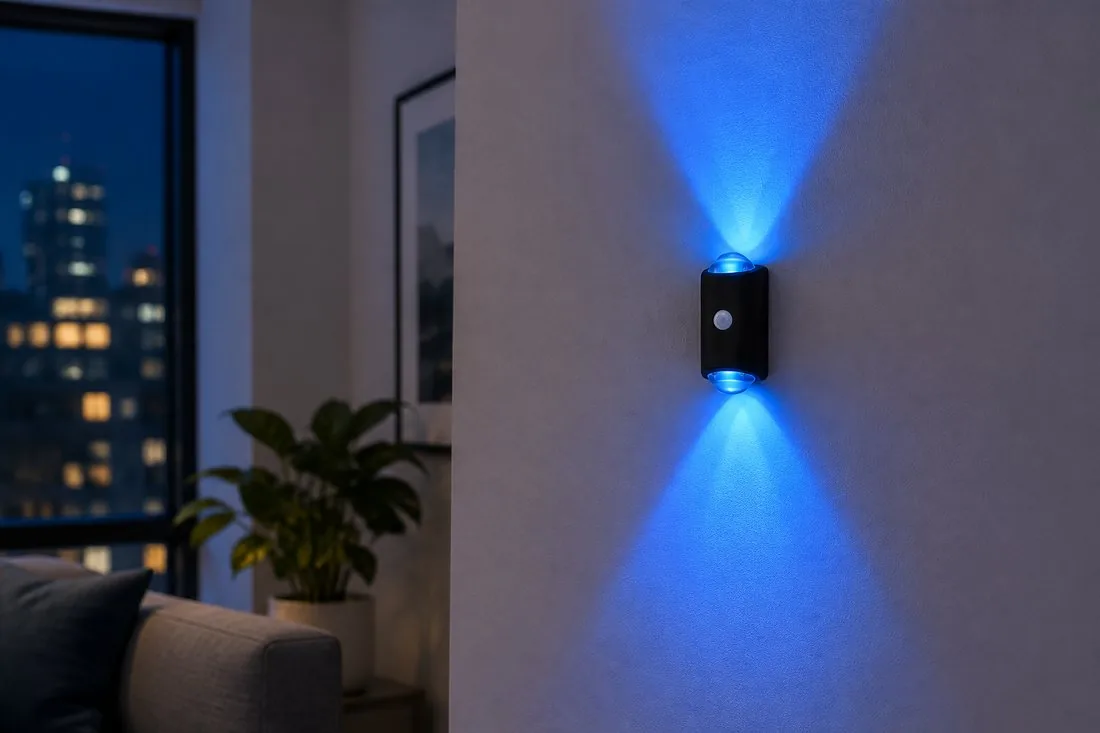
That combination points to lights that are battery powered, motion triggered and mountable without hardware — which is exactly what a rechargeable magnetic light is.
What Actually Sticks to a Dorm Wall
Before buying anything, look at your wall. It decides which mount works:
- Smooth painted drywall — the easy case. An adhesive plate holds well and peels off cleanly if you warm it slightly before removal.
- Painted cinder block — the hard case. The texture means adhesive only touches the high points, so it holds far less. Use the included plate on the flattest spot you can find, or rely on a magnetic mount that attaches to a metal bed frame or desk leg instead.
- Wallpaper or fresh paint — avoid adhesive entirely. Adhesive can lift paint that has cured for less than a month. Stick to metal furniture.
- Metal bed frame, desk leg, locker, mini fridge — free real estate. A magnetic base snaps straight on, no plate needed.
Six Setups That Fit the Rules
1. Bedside light on the loft or bunk frame
The single highest-value placement. Reading in bed without the overhead light is the whole point, and you are not waking a roommate to find a switch. Mount the light on the frame rail at roughly shoulder height when you are sitting up, angled toward the mattress and away from the next bed. Motion sensing is a bonus here: swing your legs over and it comes on.
2. Desk bias light behind the laptop
A dim glow behind the screen softens the contrast between a bright display and a dark wall, which is the same reason gaming desks use bias lighting. Keep it behind the laptop lid or on the wall behind the desk, aimed at the wall. If your desk faces a cinder block wall, put the light on the back edge of the desk instead and aim it up.
For the reasoning behind this, see our guide to RGB bias lighting for gaming and desk setups.
3. Closet and wardrobe interior
Dorm closets are dark and usually have no fixture. A motion-sensor light mounted on the inside of the door frame or the closet ceiling turns a 20-second rummage into a two-second grab. This is also the placement that survives move-out intact, because nobody notices it is there.
4. Doorway and hallway glow
For middle-of-the-night trips, a low, warm light at ankle or knee height along the path from bed to door is safer than a bright overhead and far less disruptive. Motion activation means it is only on when you are actually moving. Our hallway, stair and closet lighting guide covers the path-of-travel logic in more detail.
5. A wake-up light instead of a phone alarm
Waking to a lit room is gentler than waking to a screen, and it keeps your phone out of the bed. A night light with a digital clock on the shelf gives you the time in the dark without reaching for a phone, and you can set the room light to come on with your alarm.
6. Under-loft floor glow
If you have a lofted bed, the space underneath is where the desk, fridge and storage live, and it is the darkest part of the room. One motion light at the underside of the loft frame solves both the visibility problem and the "where did I put my shoes" problem.
Power: One Outlet, Several Devices
Rechargeable lights exist specifically to get around the outlet problem. A USB-C light charges from a laptop, a power bank or a single wall adapter, and then runs for weeks. Two practical rules:
- Charge during the day, not overnight. Overnight is when you want the light to be on, not plugged in.
- Do not daisy chain power strips. One strip with a built-in breaker is fine; strip into strip is not, and it is a common violation in residence hall inspections.
Roommate-Friendly Choices
Motion-triggered light is the most considerate option in a shared room, because it only lights the area you are in. Three settings matter:
- Warm or red light for night trips. Blue-white light at 2am is the one that wakes people up and makes it harder to fall back asleep.
- Low brightness. You need to see the floor, not the ceiling.
- Short on-time. A light that stays on for five minutes after you leave the room is a light your roommate will unplug.
Move-Out Checklist
- Take the light down a week before inspection, not the morning of.
- Warm the adhesive plate with a hair dryer on low for 20-30 seconds, then peel slowly and parallel to the wall — not outward.
- Wipe any residue with isopropyl alcohol on a cloth, not a solvent.
- Test the paint under good light. A faint shadow of adhesive usually fades; a lifted patch of paint does not, so report it rather than hide it.
None of this is expensive or complicated. The trick is picking a mount that matches your wall and a light that does not need an outlet, then placing it where you actually need light rather than where the ceiling fixture happens to be.
Light the Room Without Touching the Wall
Magnetic, USB-C rechargeable lights that mount in seconds, run for weeks and come off clean at move-out.