Long gaming sessions are tough on the eyes — especially at night, when a bright monitor glows against a pitch-black wall. The fix a lot of players settle on is simple: add a soft, indirect glow behind the screen. It's called bias lighting, and while it won't replace regular breaks or an eye exam, it's one of the easiest comfort upgrades you can make to a desk setup.
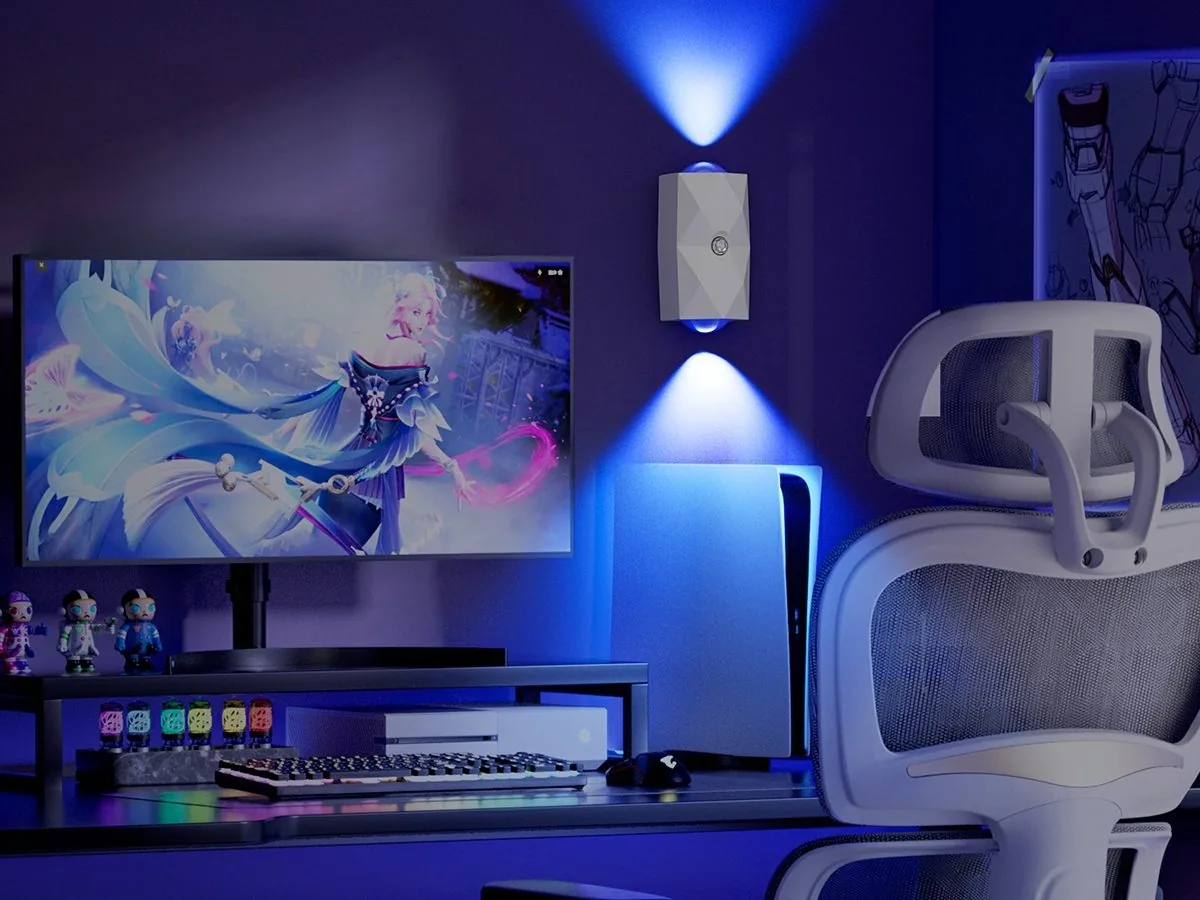
What Bias Lighting Actually Does
Your pupils are constantly adjusting as your eyes dart between a bright display and the dark wall around it. Raising the ambient light just behind the screen evens out that contrast, so the jump isn't so extreme. The result, for many players, is less perceived eye fatigue over a multi-hour session. The catch is that it has to stay dim and indirect — a wash of light on the wall, never a bright bulb aimed straight back at your face.
Why RGB (Not Just White) Works Here
Ambient backlighting doesn't have to be clinical white. An RGB light set to a soft, low-saturation color gives you the same eye-relief effect while adding personality to the room. A gentle warm white, a dim cyan, or a muted magenta reads as calm during focused play, whereas a fast rainbow cycle is more of a show-off mode. Keep the daily setup subtle, and save the vivid effects for when you're streaming or showing the room off.
Where to Put the Glow
Placement matters more than the light itself. The classic spot is directly behind the monitor, aimed at the wall so the glow spreads evenly without hitting your eyes. A slim, magnetic light can sit right on the back of a monitor stand or a nearby surface. The wall behind the desk works just as well, and angling a light up along the desk's back edge gives a softer, layered look. In every case, the goal is the same: light the background, not the screen.
Two ZSYZDL Picks for a Gaming Desk
The Dragon Scale Gaming Light is built for exactly this job: a minimalist dragon-texture panel with 200 lumens, touch control, and seven RGB colors, plus a dual motion sensor. It mounts magnetically, so it tucks behind a monitor or onto the wall with zero drilling. If you want a touch more drama, the Vector V1 BACK matte black light throws a dual-side rainbow projection up and down the wall — great as an accent behind a streaming camera, and easy to dial back to a single calm color for long sessions.
Renter-Friendly, No-Drill, Indoor Only
Everything here installs without a single hole. ZSYZDL lights use a magnetic mount with an adhesive plate, so they go up in under a minute and peel off cleanly — ideal if you rent or just don't want to damage a desk or wall. These are indoor lights (IP20), so keep them in the room and away from moisture. For more on setting up a whole room, see our gaming room RGB lighting guide and the RGB wall lamp roundup.
A Quick Setup Checklist
- Keep it dim and indirect. Aim the light at the wall, never at your eyes.
- Stick to one calm color for focused sessions; save rainbow modes for show-off time.
- Place it behind the monitor or on the wall behind the desk.
- Go no-drill. Magnetic mounts go up and come down clean.
- Recharge and forget. AUTO mode can run up to 120 days on a charge, so you're not swapping batteries mid-match.
The right backlight turns a harsh late-night session into something noticeably gentler — and it makes the whole desk look better on camera, too. Prices and availability change on Amazon US, so see the current price on Amazon before ordering.
Softer Light for Longer Sessions
Magnetic, rechargeable RGB lights that backlight your desk without a single hole. See current prices on Amazon US.