The single most common question about rechargeable motion sensor lights is a simple one: how often am I actually going to have to charge this thing? It's a fair concern — a night light is only useful if it's working when you stumble into the hallway at 3 a.m.
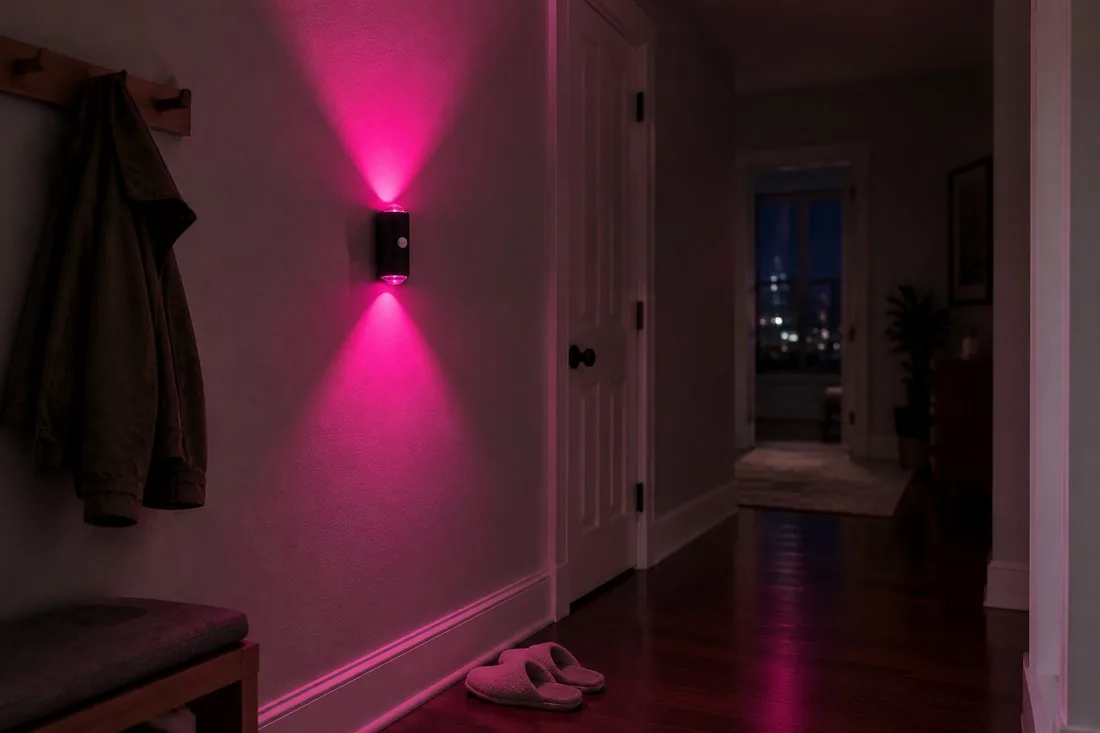
The short answer: a good rechargeable motion sensor light can run for up to 120 days on a single charge. The real answer is a little more nuanced — because "how long it lasts" depends almost entirely on how you use it. Here's how to read the spec honestly and get the most out of every charge.
What "120 Days" Actually Means
When a manufacturer quotes battery life in months, they're almost always talking about AUTO mode, not continuous-on. The two are wildly different:
- AUTO mode — the light stays off in daylight and in stillness, then turns on only when its motion sensor detects movement in low light. A 1500mAh battery can stretch to months this way.
- Always-on mode — the light glows continuously and drains the battery in a matter of days. This is a night-long accent, not a set-and-forget option.
So if you want the "charge a few times a year" experience, AUTO mode is your default. It's also the mode that saves you effort — no switches, no timers, just motion.
The Battery Spec That Matters
Under the hood, rechargeable night lights use a built-in lithium battery (commonly around 1500mAh) rather than disposable cells. That matters for two reasons:
- No batteries to buy — you're not feeding it AAs or AAAs every few weeks.
- Predictable cost — the rechargeable cell is part of the light, so running cost is essentially the electricity for occasional USB-C top-ups.
The Vector V1 motion sensor light and its matte black sibling both run on this kind of built-in battery, recharged over a standard USB-C port — the same connector as a modern phone or laptop.
USB-C Charging: Faster, Simpler, Everywhere
USB-C has quietly become the standard for rechargeable lights, and it's a genuine quality-of-life upgrade. One cable now charges your phone, tablet, earbuds, and night lights. No more hunting for a niche micro-USB cable in a drawer.
- Reversible plug — no fumbling in the dark.
- Widespread — you probably already own several USB-C cables.
- Quick top-up — a short charge gets you back to weeks of use.
What Shortens Battery Life in the Real World
Your mileage will vary, and these are the factors that move the needle most:
- Traffic — a hallway light that triggers dozens of times a day will drain faster than a closet light that fires once or twice.
- Color and brightness — brighter, more saturated color draws more current than a dim warm glow.
- Cold — lithium batteries are less efficient in very cold spaces, though indoor IP20 lights rarely face extreme temperatures.
- Mode — as above, AUTO outlasts always-on by an order of magnitude.
How to Maximize Every Charge
- Keep it in AUTO. Motion-activated, darkness-gated lighting is the single biggest lever on battery life.
- Mount where motion matters. Place lights at the actual point of use — stairs, hallways, closets — so they only fire when someone is there.
- Charge before it dies. Lithium batteries are happiest with frequent, shallow top-ups rather than full drains.
- Use the right mode for the room. A nursery might want a steady dim glow; a hallway wants motion. Match the mode to the job.
For guidance on where those high-traffic spots are, see our best places to install motion sensor lights.
Charge Less, Glow More
ZSYZDL motion sensor lights pair a built-in rechargeable battery with USB-C charging and AUTO mode, so a single charge lasts for months of everyday use. See current pricing and availability on Amazon US.
Rechargeable vs. Plug-in: Which Runs Cheaper?
If you're weighing a rechargeable light against a plug-in night light, the trade-off is flexibility versus unlimited runtime. A plug-in light never needs charging but must sit near an outlet; a rechargeable light goes anywhere but needs a top-up every few months. Most people find the freedom of placement worth it — especially in hallways and stairwells where outlets are scarce. We break down the full comparison in motion sensor vs. plug-in night lights.
The bottom line: expect months — not weeks — from a rechargeable motion sensor light in AUTO mode, and recharge it over the same USB-C cable you already carry. If you want the set-and-forget experience, AUTO mode is the whole game.